
Skip to content
jeanphilai
Make a videoHow it worksTemplatesGuidesPricingFAQ
Add your photos
  1. JeanPhil AI
  2. Guides & ideas
  3. Jean Phil AI filter & photo to video
YOUR NEXT CREATIVE IDEA

Jean Phil AI filter & photo to video

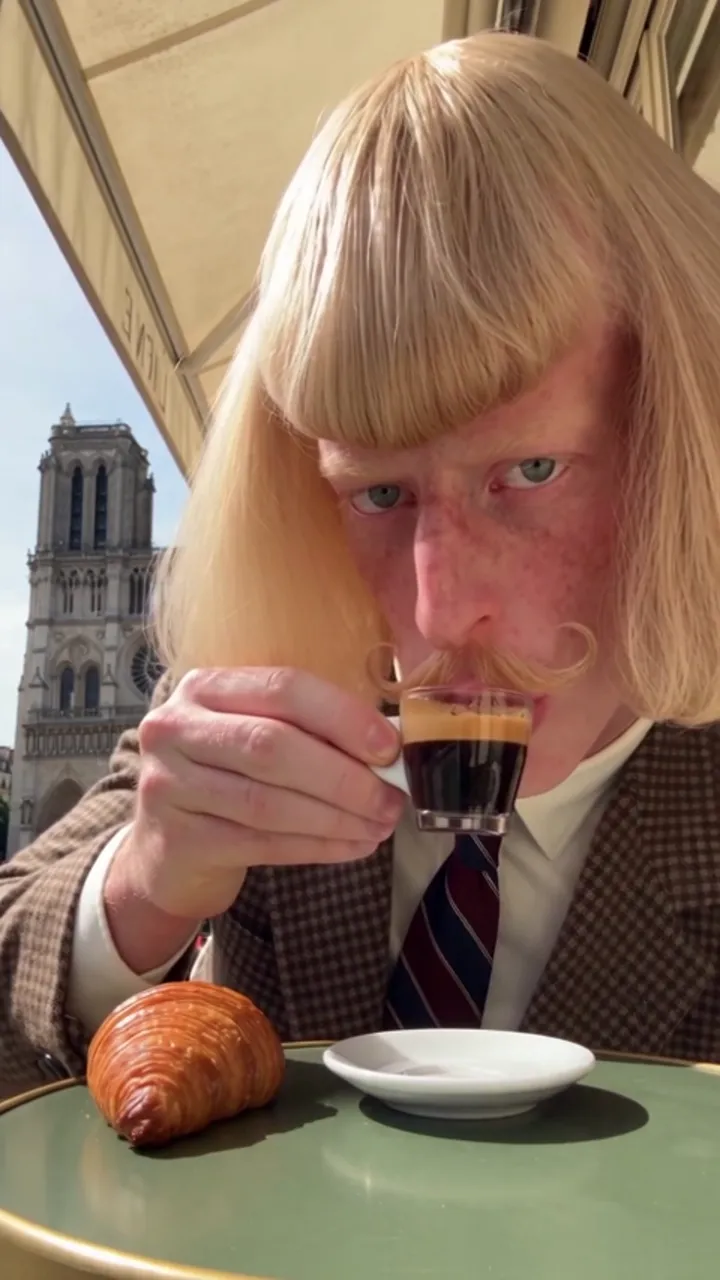
Bring your face into a café scene with a retro character look.

JeanPhil AIUpdated 2026-10-12
Create an original video

Add one or two photos, choose a case style, then sign in and generate. 15s · 720p · original audio · 20 purchased credits per video.

Start creating

Searching for a Jean Phil AI filter? This is a photo-to-video workflow. The prompt asks for your recognizable face with a blond bob, curled moustache and retro suit in a café setting.

The look is generated, not a live camera filter. Face resemblance, hands and costume details may vary. Review the result before sharing.
On this page
  1. A generated look, not a live overlay
  2. A café character brief
  3. Prepare a readable portrait
Café terrace · Style referenceStyle reference

A generated look, not a live overlay

A camera filter overlays an effect while you film. This workflow instead asks a video model to create a new scene using the facial reference. The prompt describes the hair, moustache and costume, but the generated likeness can still drift. A sharp reference helps you judge the resemblance.

A café character brief

Choose Café terrace for a restrained close-range scene. Keeping the cup movement small reduces the number of details you need to inspect. Use this prompt as an editable planning example.

For planning or tools with custom prompts. This studio uses built-in scripts.

Prepare a readable portrait

Use one adult per photo with both eyes visible. Keep the whole head and some shoulders in the crop. Avoid strong beauty filters, sunglasses and motion blur. Previewing a photo does not automatically validate face quality; inspect it yourself before generating.

Sources and editorial notes

Studio instructions describe the current JeanPhil AI workflow. Prompts are original planning examples; the studio uses built-in scene scripts. Reference videos and images illustrate creative styles; they are not our tested generation results. Read our editorial approach

YOUR CREATIVE STUDIO15s · 720p
01

Add your photos

JPG, PNG or WebP · at least 300×300 · up to 10 MB · sent only when you generate

02

Pick a case style

03

Set the frame

15s · Original audio
Uses purchased credits. Photos are sent to the video service after you generate.

Plans and creditsAsk a question

Related guides and ideas

How to make Jean Phil AI videos

A practical workflow: portrait, scene, framing, generation and download.

Jean Phil AI prompts

Original scene briefs for shadowboxing, café moments and dance edits.

Jean Phil AI shadowboxing

A quiet street. A serious face. An unexpected boxing routine.

jeanphilai

Your photo. An unexpected scene. A little Jean Phil energy.

MAKE THE TREND YOUR OWN

Create

Jean Phil AI generatorJean Phil AI shadowboxingJean Phil AI filter & photo to videoJean Phil AI dance video

Learn

Toc Toc AI dance: a creative briefIs Jean Phil real or AI?How to make Jean Phil AI videosJean Phil AI prompts

JeanPhil AI

How it worksPricingQuestions & answersAbout JeanPhil AIAll guidesContactPrivacyTermsCookies
© 2026 JeanPhil AIIndependent creative tool. Not affiliated with Jean Phil or any token.Built for the browser