
Skip to content
jeanphilai
Make a videoHow it worksTemplatesGuidesPricingFAQ
Add your photos
  1. JeanPhil AI
  2. Guides & ideas
  3. How to make Jean Phil AI videos
JEANPHIL AI GUIDE

How to make Jean Phil AI videos

A practical workflow: portrait, scene, framing, generation and download.

JeanPhil AIUpdated 2026-10-12
Create an original video

Add one or two photos, choose a case style, then sign in and generate. 15s · 720p · original audio · 20 purchased credits per video.

Start creating

Start with one portrait and a simple scene. Pick a shot that makes sense for your photo and review the result before adding captions.

The studio accepts JPG, PNG or WebP photos at least 300 × 300 pixels and up to 10 MB each. Generation requires configured services and purchased credits.
On this page
  1. 1. Prepare your photo
  2. 2. Choose your scene and settings
  3. 3. Generate, review and save
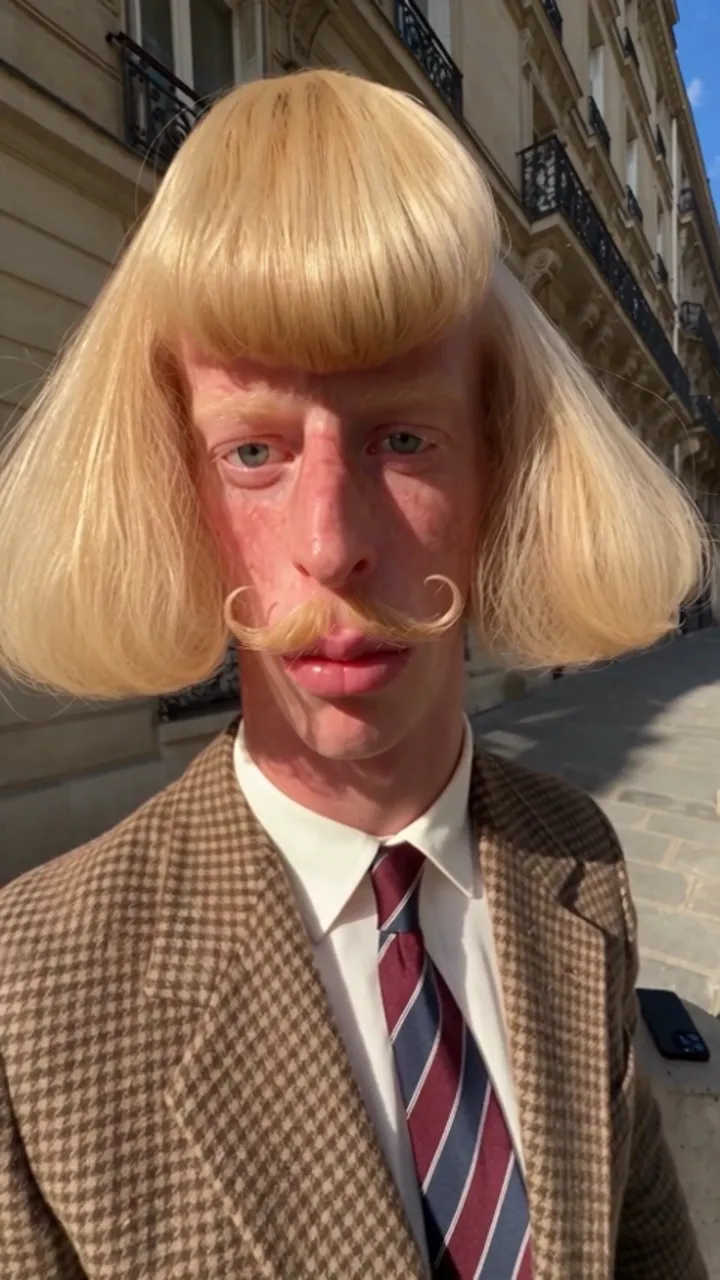
Street shadowboxing · Style referenceStyle reference

1. Prepare your photo

Use a sharp portrait with unobstructed eyes, the whole head and some shoulder context. JPG, PNG and WebP are accepted; convert HEIC before uploading. Each file must be at least 300 × 300 pixels and no larger than 10 MB. Solo uses one photo, while Two people uses one per person.

2. Choose your scene and settings

Pick Street shadowboxing, Café terrace, Pink-suit dance or Garden comedy. Choose 9:16 or 16:9, then Standard, Fast or Pro. The current configuration requests 15-second, 720p video with original audio, using 20 purchased credits on each model. These settings do not imply that the third-party sample used the same model.

3. Generate, review and save

When the service is configured, sign in and use purchased credits to submit the job. Watch its status rather than repeatedly submitting. Confirmed failures return reserved credits. Review the face, fingers and motion, then download the MP4 promptly. Provider result URLs can expire; save the file within 24 hours. Add captions afterward.

Sources and editorial notes

Studio instructions describe the current JeanPhil AI workflow. Prompts are original planning examples; the studio uses built-in scene scripts. Reference videos and images illustrate creative styles; they are not our tested generation results. Read our editorial approach

YOUR CREATIVE STUDIO15s · 720p
01

Add your photos

JPG, PNG or WebP · at least 300×300 · up to 10 MB · sent only when you generate

02

Pick a case style

03

Set the frame

15s · Original audio
Uses purchased credits. Photos are sent to the video service after you generate.

Plans and creditsAsk a question

Related guides and ideas

Jean Phil AI prompts

Original scene briefs for shadowboxing, café moments and dance edits.

Jean Phil AI filter & photo to video

Bring your face into a café scene with a retro character look.

Jean Phil GIF: turn a clip into a loop

Choose a short reaction moment and prepare a lightweight loop.

jeanphilai

Your photo. An unexpected scene. A little Jean Phil energy.

MAKE THE TREND YOUR OWN

Create

Jean Phil AI generatorJean Phil AI shadowboxingJean Phil AI filter & photo to videoJean Phil AI dance video

Learn

Toc Toc AI dance: a creative briefIs Jean Phil real or AI?How to make Jean Phil AI videosJean Phil AI prompts

JeanPhil AI

How it worksPricingQuestions & answersAbout JeanPhil AIAll guidesContactPrivacyTermsCookies
© 2026 JeanPhil AIIndependent creative tool. Not affiliated with Jean Phil or any token.Built for the browser