
Skip to content
jeanphilai
Make a videoHow it worksTemplatesGuidesPricingFAQ
Add your photos
  1. JeanPhil AI
  2. Guides & ideas
  3. Jean Phil AI prompts
JEANPHIL AI GUIDE

Jean Phil AI prompts

Original scene briefs for shadowboxing, café moments and dance edits.

JeanPhil AIUpdated 2026-10-12
Create an original video

These prompts are editable planning examples. The studio uses built-in scripts; it does not currently accept custom prompts.
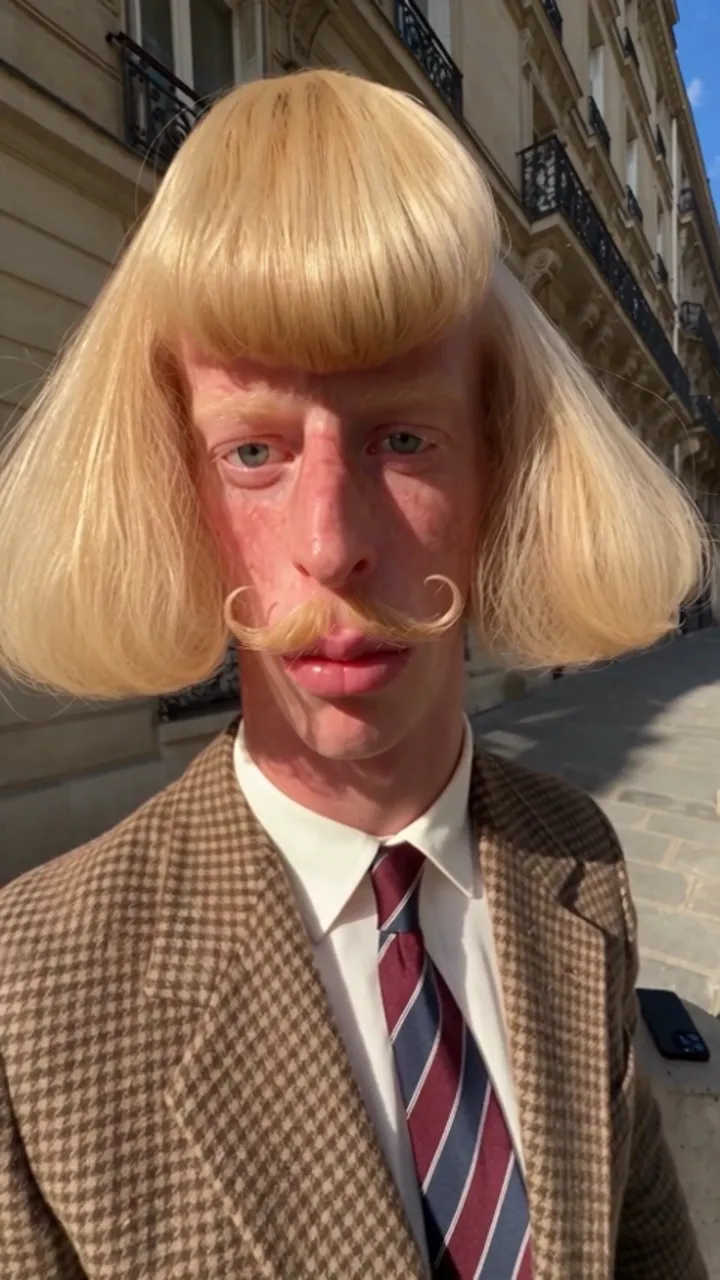
Add one or two photos, choose a case style, then sign in and generate. 15s · 720p · original audio · 20 purchased credits per video.

Start creating

A useful prompt describes the identity, look, action, camera and setting. Keep each action brief so you can inspect it in the finished clip.

These prompts are editable planning examples. The studio uses built-in scripts; it does not currently accept custom prompts.

On this page
  1. Describe five useful parts
  2. Street shadowboxing brief
  3. Café terrace brief
  4. Pink-suit dance brief
Street shadowboxing · Style referenceStyle reference

Describe five useful parts

Write the identity reference first, then the character look, location, camera and action. Limit each brief to one main idea. Change only one part after reviewing a result so you can tell which choice helped. These are original planning prompts, not prompts extracted from someone else’s video.

  • Identity: one clear photo per performer.
  • Camera: keep the hands and feet inside the frame.
  • Action: one small movement, then a pause.

Street shadowboxing brief

Use a fixed street view and restrained punches to keep the composition easy to inspect.

For planning or tools with custom prompts. This studio uses built-in scripts.

Café terrace brief

A small cup movement and a raised eyebrow make a complete short scene.

For planning or tools with custom prompts. This studio uses built-in scripts.

Pink-suit dance brief

Keep shoes visible and the movement simple. This studio uses preset scripts; copying this text does not change the built-in generation prompt.

For planning or tools with custom prompts. This studio uses built-in scripts.

Sources and editorial notes

Studio instructions describe the current JeanPhil AI workflow. Prompts are original planning examples; the studio uses built-in scene scripts. Reference videos and images illustrate creative styles; they are not our tested generation results. Read our editorial approach

YOUR CREATIVE STUDIO15s · 720p
01

Add your photos

JPG, PNG or WebP · at least 300×300 · up to 10 MB · sent only when you generate

02

Pick a case style

03

Set the frame

15s · Original audio
Uses purchased credits. Photos are sent to the video service after you generate.

Plans and creditsAsk a question

Related guides and ideas

Jean Phil AI shadowboxing

A quiet street. A serious face. An unexpected boxing routine.

Jean Phil AI dance video

A playful pink-suit dance with a wonderfully serious face.

How to make Jean Phil AI videos

A practical workflow: portrait, scene, framing, generation and download.

jeanphilai

Your photo. An unexpected scene. A little Jean Phil energy.

MAKE THE TREND YOUR OWN

Create

Jean Phil AI generatorJean Phil AI shadowboxingJean Phil AI filter & photo to videoJean Phil AI dance video

Learn

Toc Toc AI dance: a creative briefIs Jean Phil real or AI?How to make Jean Phil AI videosJean Phil AI prompts

JeanPhil AI

How it worksPricingQuestions & answersAbout JeanPhil AIAll guidesContactPrivacyTermsCookies
© 2026 JeanPhil AIIndependent creative tool. Not affiliated with Jean Phil or any token.Built for the browser