
Skip to content
jeanphilai
Make a videoHow it worksTemplatesGuidesPricingFAQ
Add your photos
  1. JeanPhil AI
  2. Guides & ideas
  3. Jean Phil on Instagram & TikTok
JEANPHIL AI GUIDE

Jean Phil on Instagram & TikTok

Distinguish original account posts from reposts and recreations.

JeanPhil AIUpdated 2026-10-12
Create an original video

Add one or two photos, choose a case style, then sign in and generate. 15s · 720p · original audio · 20 purchased credits per video.

Start creating

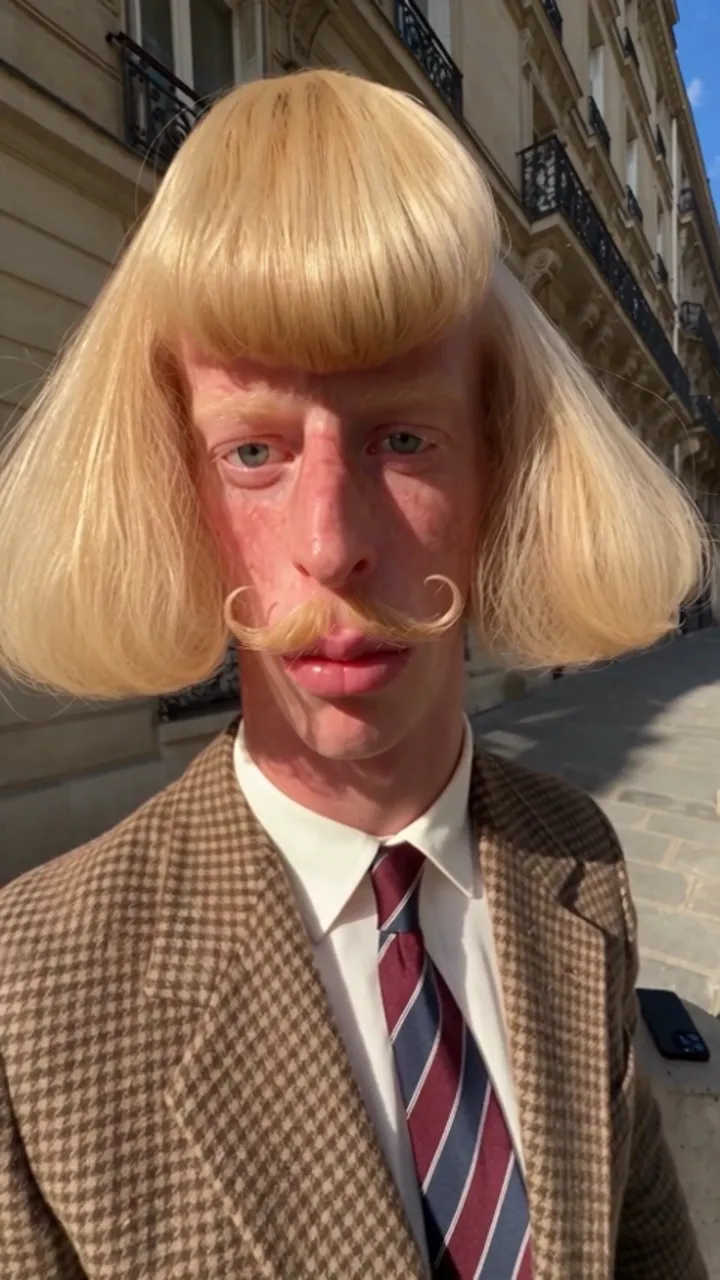
The handle @jean_philanthrope is associated with the original Jean Phil persona. Reposted clips, parody accounts and AI recreations can look very similar.

Check the account handle and original post rather than judging a screenshot. This tool does not run or authenticate those social accounts.
On this page
  1. Start with the account handle
  2. Separate a post from a recreation
  3. Prepare your own caption
Street shadowboxing · Style referenceStyle reference

Start with the account handle

The @jean_philanthrope handle is documented in the linked background source. Search the exact handle inside the platform, then inspect the post itself. Display names, copied profile pictures and reposted thumbnails do not establish that an account is the original.

Separate a post from a recreation

Follow the upload context: is the clip posted by the referenced account, a parody account or a tool demo? An AI-generated recreation can use a similar hairstyle and outfit. Do not assume that repeated appearances imply the same creator or a particular generation service.

Prepare your own caption

If you create a new clip here, say that it is AI-generated and credit any reference you discuss. This site is not the original account and has no connection to a token. Your video uses a new scene script and should not be described as authentic footage from Jean Phil’s accounts.

Sources and editorial notes

  • Know Your Meme: Jean Philanthrope / Jean Phil

Studio instructions describe the current JeanPhil AI workflow. Prompts are original planning examples; the studio uses built-in scene scripts. Reference videos and images illustrate creative styles; they are not our tested generation results. Read our editorial approach

YOUR CREATIVE STUDIO15s · 720p
01

Add your photos

JPG, PNG or WebP · at least 300×300 · up to 10 MB · sent only when you generate

02

Pick a case style

03

Set the frame

15s · Original audio
Uses purchased credits. Photos are sent to the video service after you generate.

Plans and creditsAsk a question

Related guides and ideas

Is Jean Phil real or AI?

Who Jean Philanthrope is, why people ask, and where to check the context.

How to make Jean Phil AI videos

A practical workflow: portrait, scene, framing, generation and download.

Jean Phil GIF: turn a clip into a loop

Choose a short reaction moment and prepare a lightweight loop.

jeanphilai

Your photo. An unexpected scene. A little Jean Phil energy.

MAKE THE TREND YOUR OWN

Create

Jean Phil AI generatorJean Phil AI shadowboxingJean Phil AI filter & photo to videoJean Phil AI dance video

Learn

Toc Toc AI dance: a creative briefIs Jean Phil real or AI?How to make Jean Phil AI videosJean Phil AI prompts

JeanPhil AI

How it worksPricingQuestions & answersAbout JeanPhil AIAll guidesContactPrivacyTermsCookies
© 2026 JeanPhil AIIndependent creative tool. Not affiliated with Jean Phil or any token.Built for the browser